The CryptKi Guides
How to react if your seed phrase is compromised
Maybe you entered your seed phrase somewhere you should never have. Maybe you stored it somewhere that no longer feels safe. Maybe someone saw it, even briefly.
If you think your seed phrase may have been seen or copied, this is what you need to do, in the right order, and without delay.
Many people hesitate at this point. They try to figure out exactly what happened, or whether the risk is real. That hesitation is the first mistake. Once a seed phrase may have been exposed, the only question that matters is whether you still have exclusive control over your wallet, meaning you, and only you, can access it.
This article explains what to do, why timing matters, and how to move from an exposed wallet to a new one without creating extra mistakes along the way.
👉 If you want the deeper explanation behind this:
→ Emergency: what to do if you entered your seed phrase online
→ Backup and recovery: restore safely
→ Keys, addresses, and seed phrases
Step 1. Treat suspicion as enough
You do not need proof that the seed phrase was stolen.
Suspicion is already enough to act.
That is the first thing many users get wrong. They wait for confirmation. They tell themselves that maybe nobody copied it, or that it was only visible for a few seconds.
A seed phrase does not trigger alerts. Nothing tells you it has been copied. If someone saw it once, they may be able to restore the wallet at any time.
If there is a real possibility that someone saw or copied the phrase, act as if the wallet is already compromised.
Step 2. Stop using the compromised wallet
Once you suspect the seed is compromised, stop normal use immediately.
- Do not keep sending.
- Do not keep receiving.
- Do not connect it to new apps.
- Do not keep using it for now.
From this point on, the old wallet has one role only: help you move out safely.
⚠️ Restoring the same seed phrase on another device does not solve anything. It recreates the same exposed wallet.
Step 3. Create a new wallet
⚠️ If you already have a separate wallet with its own seed phrase that has never been linked to the compromised one, you can use it directly as your destination. Skip the setup and go to Step 5.
If you do not, create a completely new wallet now. This is one situation where having a clean wallet ready in advance would have saved critical time. It is worth remembering once this is over.
Create a completely new wallet with a brand-new seed phrase. Not a variation. Not a restoration. Not a reused backup.
If you use a hardware wallet, initialize it as a new device and generate a new seed phrase following the manufacturer's official setup instructions. When in doubt, consult the documentation before proceeding.
If you use a software wallet, use the official application only and select the option to create a new wallet, not to restore an existing one. This generates a fresh seed phrase that has never been used before. When in doubt, consult the official documentation of your wallet before proceeding.
⚠️ If your device may be compromised and not just your seed phrase, creating a new wallet on the same device can create a second problem instead of solving the first. In that case, create your new wallet on a different, clean device.
Step 4. Secure the new seed phrase
Before moving anything, secure the new recovery phrase properly.
Write it down. Check every word. Store it safely.
Do not rush this step. Many users fix the first problem and immediately create a second one by poorly backing up the new seed.
Do not create any digital copy of your seed phrase. No photos, no notes app, no cloud storage, no email drafts.
More information needed:
→ How to manage your seed phrase
Step 5. Prepare the migration before you click send
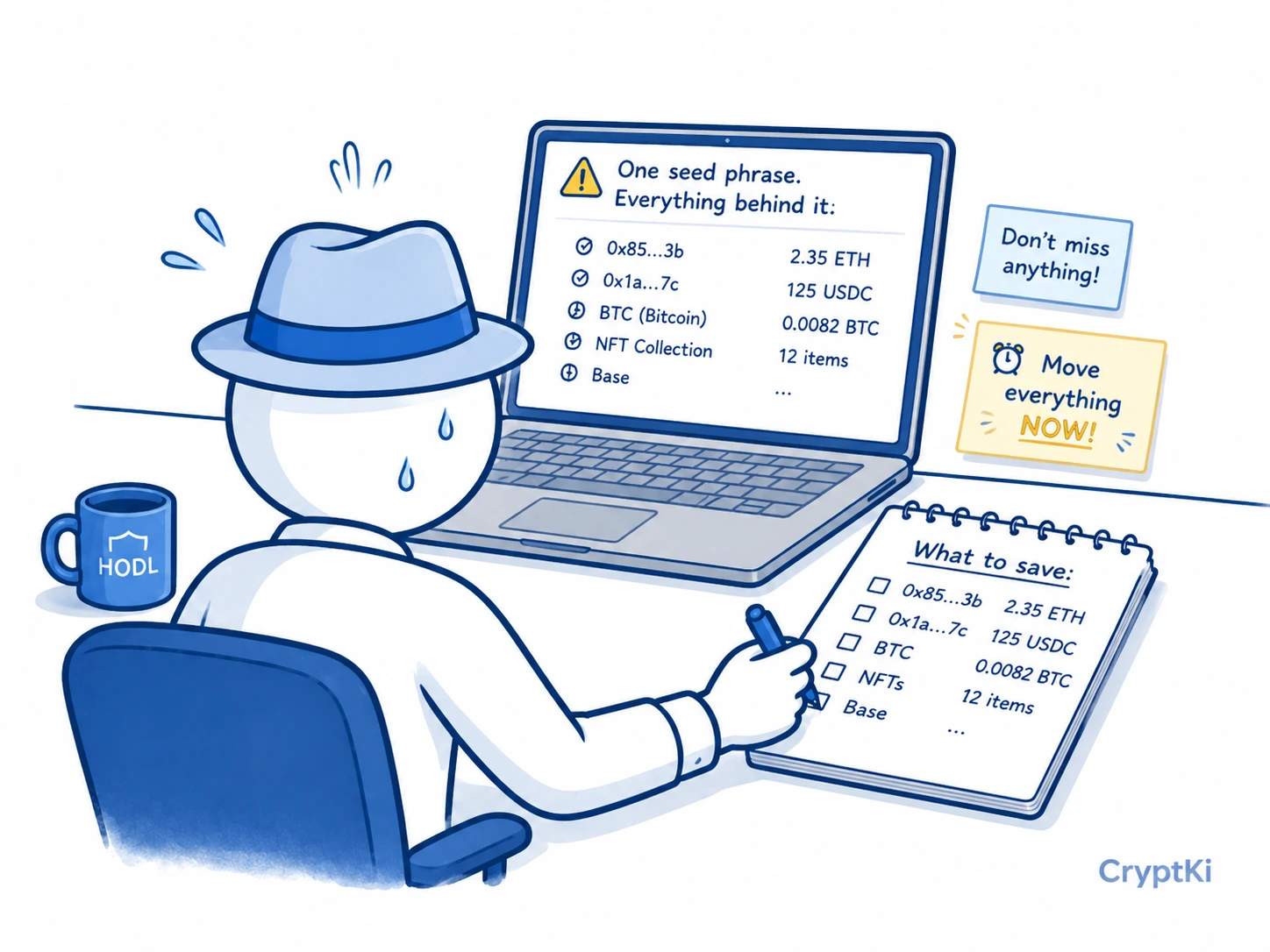
Now think about what actually needs to be moved.
Many users think only about their main coin balance. In practice, a wallet may also hold tokens on multiple networks, NFTs, assets spread across different accounts, and active approvals that should no longer matter after the migration.
Before doing anything, run through this checklist:
Check every network where this wallet may hold assets: Ethereum, Bitcoin, Solana, Arbitrum, Base, Polygon, BNB Chain, and any other network you used. A wallet can look empty on one network while still holding assets on another.
Also check every account and address derived from that same seed phrase. Many wallets contain more than one account, and some networks generate multiple addresses in the background. If the seed phrase is compromised, all of them must be treated as compromised, not just the address you use most often.
Which assets are in the compromised wallet?
On which networks?
Do you have enough native coin to pay transaction fees?
Is the destination address of your new wallet verified?
One rule applies regardless of the order you choose: always keep enough native coin in the compromised wallet to cover the fees for every transfer still ahead. ETH on Ethereum, BNB on BNB Chain, MATIC on Polygon, and so on. If you send it too early, you may no longer be able to move what remains. Move the last of it only when everything else is out.
Your new wallet does not have to be a self-custody wallet. If you have a verified account on a centralized exchange, sending your assets there is a valid option in an emergency. It is faster than setting up a new wallet from scratch, and it removes the assets from the compromised wallet immediately. You can always move them later once the situation is under control.
This short pause is useful. Panic is not.
Step 6. Move funds fast, but in the right order
Now comes the emergency transfer. The goal is to move everything you can from the compromised wallet to the new one before someone else does.
Fast, yes. Not random.
Start with the assets that are most at risk or most valuable, while keeping enough native coin to cover the fees for what comes next. On a wallet compatible with Ethereum and similar networks, also called an EVM wallet for Ethereum Virtual Machine, a typical sequence looks like this:
- Verify the new wallet address carefully before doing anything else.
- Estimate how much native coin you will need for fees across all transfers.
- Move the most sensitive or most valuable assets first.
- Move the remaining tokens.
- Move the last of the native coin only when everything else is done.
One thing worth double-checking at every step is the destination address. During an emergency it is easy to copy it once and assume it stayed correct. That assumption can be dangerous, especially if your device may be compromised. Clipboard hijacking, a type of malware that silently replaces a copied address with the attacker's own, is a real risk in this context. Re-check the address before each transfer.
If the wallet holds a large amount, a small test transfer can make sense. But only if it does not create dangerous delay. In a real emergency, excessive caution can work against you just as much as carelessness.
Step 7. Do not waste time revoking approvals
Revoking approvals can be useful when a contract has unnecessary access to an address you still control.
That is not the situation here.
If someone has your seed phrase or private key, they can restore the wallet and act directly from the same address. In that case, revoking approvals does not protect the wallet. The problem is no longer contract access. It is that the wallet itself is compromised.
Move the funds out first.
Step 8. Stop using the old wallet completely
After the transfer, the old wallet is finished.
Do not reuse it. Do not send funds to it. Do not keep it as a backup.
If the seed phrase was compromised once, the wallet can no longer be trusted.

If you use a hardware wallet, the device itself can still be reused after a full reset and a fresh setup with a new seed phrase. What must never be reused is the compromised seed and any wallet derived from it.
Remove that address from any exchange withdrawal settings, saved contacts, whitelist, or address book.
If a service allows it, mark the old address as unsafe or block it entirely (blacklist). The goal is not just to stop using it. The goal is to make accidental reuse much less likely.
This is where migrations often fail, not technically, but out of habit.
Step 9. Understand what went wrong before you move on
The emergency is over. Before you move on, take a few minutes to think about how this happened.
Not to blame yourself. To avoid repeating it.
A compromised seed phrase almost always comes from entering it somewhere it should never be entered, storing it digitally in an exposed place, revealing it during a fake support interaction, or exposing the written backup physically.
Replacing the wallet solves the immediate problem. Removing the condition that caused it is the other half of the job. If a phishing page was the cause, the lesson is not just "create a new wallet". It is "never enter the seed phrase outside a legitimate recovery flow." If a cloud photo was the cause, the lesson is not just "move the funds". It is "do not digitize recovery material."
Key takeaways
- A suspected compromise is enough to act. You do not need proof.
- Restoring the same seed phrase on another device does not solve anything.
- Create a brand-new wallet with a brand-new seed phrase.
- Back up the new seed properly before you start moving funds.
- Move native coins last. You need them to pay for everything else.
- Do not waste emergency time revoking approvals before your funds are safe.
- Once the migration is done, the old wallet is finished. Do not use it again.
Find out more on CryptKi Academy
-
Emergency: what to do if you entered your seed phrase online
To understand why a copied seed phrase cannot be made safe again. -
Backup and recovery: restore safely
To understand what recovery really does and why restoring the same seed changes nothing. -
Storing your recovery phrase securely: methods, redundancy, and threat model
To avoid repeating the same mistake after the emergency is over. -
How to set up a wallet
To create a new wallet correctly if you need to start over from scratch. -
How to manage your seed phrase
To protect, test, and handle your recovery phrase safely over time.
CryptKi Academy full index - Browse all articles
Glossary - Check the definition of all specific terms