The CryptKi Guides
How to revoke approvals safely
You connected your wallet to a DeFi app weeks ago. Maybe months ago.
You swapped a token, used a bridge, minted an NFT, or tried a protocol once… and never came back.
Nothing looks wrong. Nothing has happened. And that is exactly why approvals are often ignored.
What many users do not realise is that some of these actions leave something behind: an approval. The transaction is over, but the permission can remain active.
That does not mean your wallet is compromised. It means a smart contract may still be allowed to move specific tokens or NFTs later, within the limits you previously accepted.
This guide shows you how to check those permissions and revoke them step by step, without turning the process into something more complicated than it is.
Note: if your seed phrase is compromised, revoking approvals is not enough. Anyone with the seed phrase can restore the wallet and act from the same address.
👉 If the idea of an approval still feels unclear, start here first:
→ Approvals and permissions: what you sign in DeFi
→ How to interact with DeFi safely
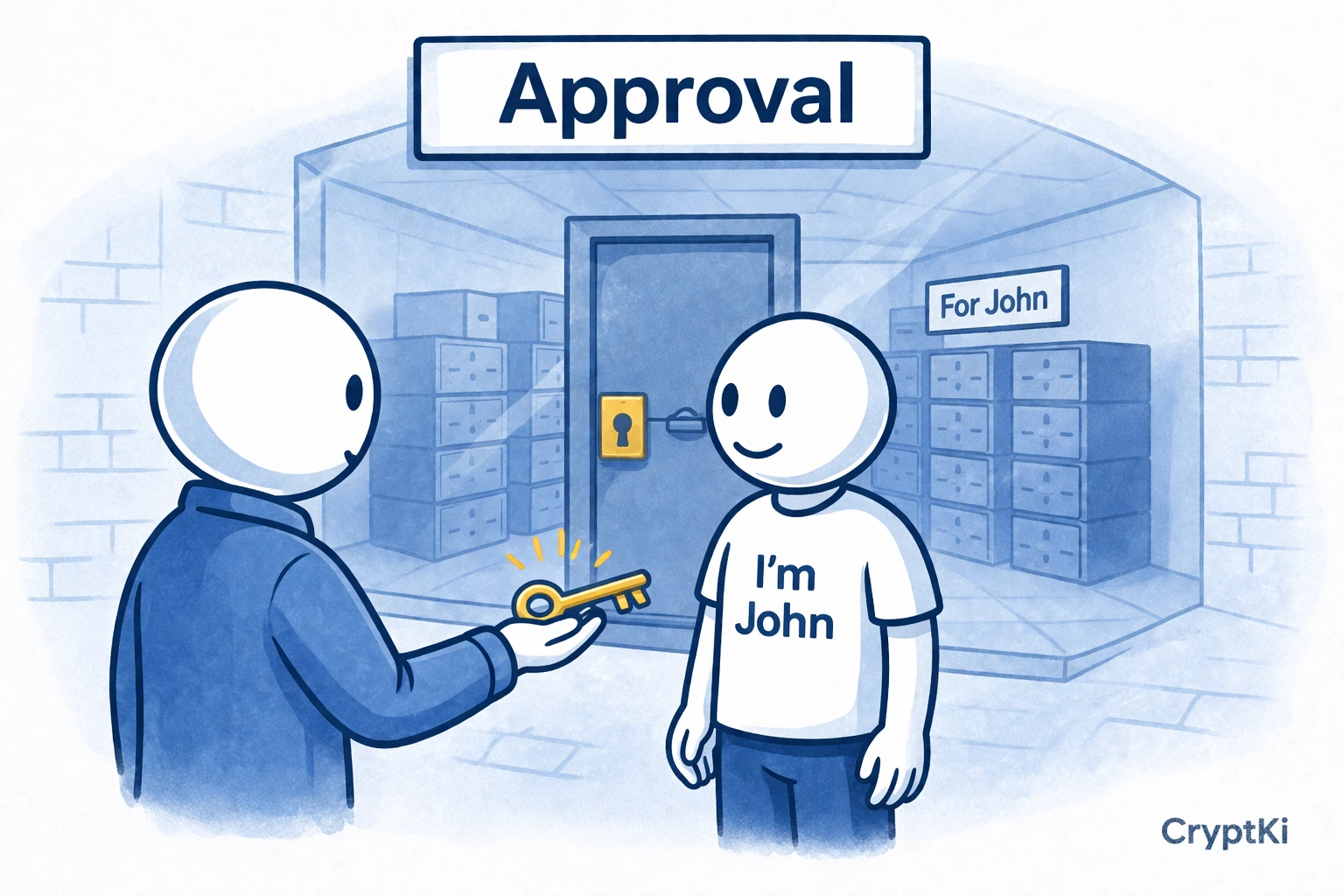
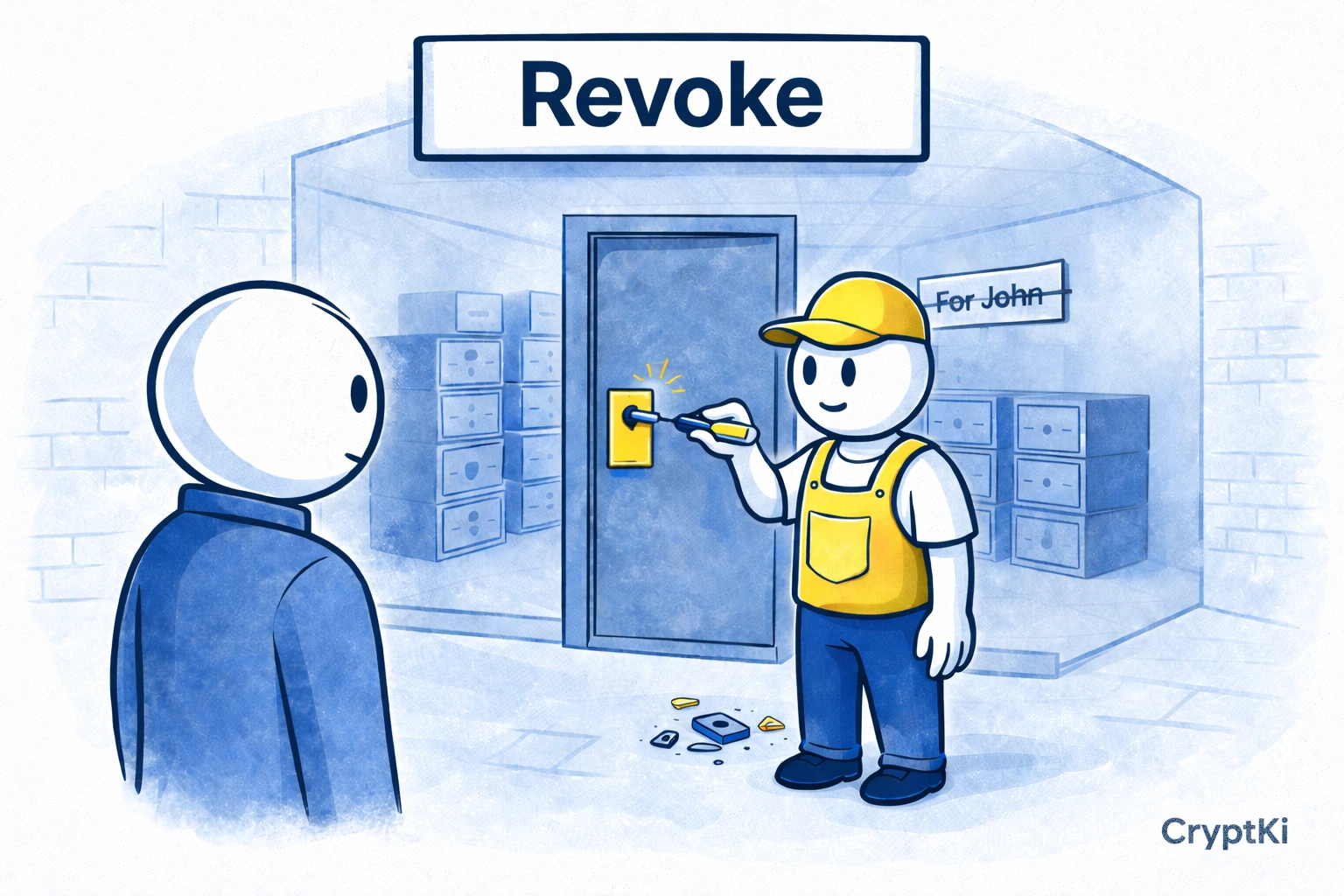
What you are revoking
When you revoke an approval, you are not undoing a swap, cancelling a past transaction, or disconnecting your wallet from a website.
You are removing a permission that allows a smart contract to spend a token, or in some cases transfer or manage NFTs on your behalf. That permission can remain active long after the original action until you explicitly remove it.
Some newer permission systems, such as Permit or Permit2, work through signatures rather than traditional on-chain approvals. These permissions may not always appear in standard approval checkers, and may require separate review or simply expire over time.
A simple example: you approve a DEX to spend your USDC once. Months later, that approval may still exist even if you no longer use that DEX.
If you signed something unclear, revoking visible approvals may not cover everything. Do your own research to make sure the action you take is enough for the specific permission you granted.
Because this permission exists on-chain, the contract can use it later without asking you again. Even if you disconnect your wallet or stop using the application, the approval can still be active until you revoke it.
When it makes sense to revoke approvals
You do not need to revoke everything after every transaction. But there are moments when it makes sense to clean things up:
- after using an app only once, or testing an unknown protocol
- after a phishing scare or a suspicious signature
- after approving an unlimited or very large amount
- when you review your wallet periodically, for example after trying new protocols, or as part of a regular monthly check
A good rule is simple: if you do not expect a contract to need access anymore, there is usually no reason to leave the permission active.
Step 1. Check which network you used
Approvals are chain-specific.
An approval on Ethereum is not the same as an approval on Arbitrum, Base, BNB Chain, or Polygon. If you used the same wallet on several chains, you need to check each one separately.
Before doing anything else, ask yourself: which app did I use, on which network, and which token did I approve there?
This guide mainly focuses on EVM-compatible networks, where token approvals and allowance checkers are standard. Other blockchains use different models. On Solana, for example, this is closer to delegate management than ERC-20-style approvals. On Bitcoin or Cardano, the concept of persistent token approvals as seen on EVM networks does not apply in the same way.
Step 2. Open an approval checker
Two practical options are commonly used.
Revoke.cash is designed specifically for checking and revoking approvals across more than a hundred EVM-compatible networks. It lets you review all token approvals for a given wallet address from a single interface.
Etherscan Token Approvals lets you inspect approved contracts on Ethereum and shows what may be at risk. Other chain-specific explorers in the same ecosystem offer similar pages for their respective networks.
In practice, Revoke.cash is the most direct option if you want one workflow across several networks. Etherscan is useful if you are already working explorer-first on Ethereum specifically.
Step 3. Search your wallet address or connect your wallet
Most approval tools let you either paste your public wallet address, or connect your wallet directly.
If you only want to inspect permissions first, pasting the public wallet address is often the calmer option. Your public address is not secret, and sharing it does not give access to your funds.
If you want to revoke, you will need to connect the wallet that owns those approvals. Revoking requires sending a new on-chain transaction, which means the wallet needs to sign it and you will pay a gas fee.
If you are using a hardware wallet, you can connect it through your usual wallet interface. The process is the same, but confirmations will happen on your device.
Revoking is not free. You are changing on-chain permissions, so gas fees apply and must be paid in the network’s native coin.
Step 4. Identify the approvals that matter first
Once the list appears, do not revoke blindly. Read what is there.
Look for the token or NFT collection involved, the spender contract, the approved amount, and whether you still recognise and use that protocol.
If you do not recognise the spender address, you can paste it into a block explorer to see which protocol it belongs to and whether it is verified.
Unlimited approvals deserve special attention. Many apps request unlimited access by default to avoid prompting you again on every transaction. That is convenient, but it also means the permission can remain far broader than what you intended to use that day.
One nuance worth knowing: NFT approvals work differently from token approvals. When you approve a contract to manage an NFT collection, that approval often covers the entire collection, not just what you interacted with. If you have minted NFTs and granted collection-wide access, that is worth reviewing separately.
Step 5. Decide what to revoke
Prioritise approvals for apps you no longer use, contracts you do not recognise, and any approval granted with an unlimited amount. These are the ones most likely to carry unnecessary risk.
Approvals for tools you actively use and consciously want to keep convenient are less urgent, though still worth reviewing periodically.
If you are unsure about a specific approval, ask yourself one question: do I still want this contract to be able to act on this asset without asking me again? If the answer is no, revoke it.
Step 6. Revoke the approval
On a tool like Revoke.cash, click Revoke next to the approval you want to remove. Your wallet will ask you to confirm a transaction.
Before confirming, check the network shown in your wallet, the gas fee, and that the transaction is the revoke action you intended.
Then confirm.
Depending on the network, you may also be able to adjust the gas fee before confirming. Fees can vary depending on network activity. If the cost seems high, you can wait and try again later when the network is less congested. However, if you believe an approval may be risky or no longer appropriate, it is better to revoke it without delay. Your wallet may label this transaction as an "approval change" or "set allowance to zero".
This transaction does not move your funds. It changes the permission so the contract no longer has the same access.
Step 7. Wait for confirmation and verify
After confirming, wait until the transaction is mined. Then refresh the approval checker.
What you want to see: the approval disappears, the amount drops to zero, or the tool clearly shows the permission is no longer active.
Do not assume it worked just because you clicked confirm. Check the result. The action is only real once the chain confirms it.
Step 8. Repeat on other networks if needed
Many users stop after cleaning Ethereum and forget everything else.
If you used DeFi on several networks, repeat the process on each one. This matters especially if you bridged assets or tested protocols across L2s.
Wallet disconnect is not the same thing
This is one of the most common confusions.
Disconnecting your wallet from a website only ends the front-end connection. It does not revoke token approvals already written on-chain.
If you clicked "Disconnect" in a dapp and assumed everything was cleaned up, that assumption may be wrong. The permission lives on-chain. Not in your browser session.
A few common mistakes to avoid
- One mistake is revoking nothing because "nothing happened yet." That is exactly how lingering approvals remain for months.
- Another is revoking in a hurry after a scare and signing whatever appears without reading the wallet prompt properly.
- A third is forgetting the gas token. To revoke on any EVM network, you need enough native token on that chain to pay for the transaction.
- And finally, do not confuse revoking an approval with moving your funds, changing wallets, or disconnecting a site. These are different actions with different effects.
What revoking does not fix
Revoking approvals is useful wallet hygiene. But it is not a magic reset button.
It does not reverse a bad swap, cancel a completed bridge, recover stolen funds, make an exposed seed phrase safe again, or remove malware from your device.
If the real problem is bigger than an old approval, revoking is only one part of the response.
A final note
Wallet interfaces, blockchain tools, and platform procedures change over time. The guidance in this article reflects common practices, but your specific wallet, platform, or network may work differently.Before taking action, always verify the current steps through official documentation and trusted sources relevant to your situation.
Never rely on a single source when the consequences are irreversible.
Key takeaways
- An approval is a permission that can remain active long after the original transaction
- Unlimited approvals deserve special attention
- Some permission systems such as Permit may not appear in standard approval tools
- Revoking an approval requires a new on-chain transaction and costs gas
- Disconnecting a wallet from a site does not remove existing approvals
- Approvals must be checked network by network
- Old or unused approvals are usually the first ones to remove
- Revoking is useful wallet hygiene, not a full security reset
Find out more on CryptKi Academy
-
Approvals and permissions: what you sign in DeFi
To understand why approvals matter long after the transaction is done. -
Smart contracts: what they are and why they matter
To understand what you are interacting with when you confirm a transaction. -
How to interact with DeFi safely
To understand the broader logic of wallet connections, approvals, and confirmations. -
Using your wallet safely: daily practices and common mistakes
To build consistent habits around wallet security.
CryptKi Academy full index - Browse all articles
Glossary - Check the definition of all specific terms
Every transaction depends on the wallet behind it.
Explore hardware wallets, seed phrase backups, and accessories that support safer self-custody habits.